
How it works
Up and running without learning the software
You answer questions about your business. We do the building. You approve. No contract, cancel any time.

1
Book a free call
We look at where your week goes and what you would hand over first. If X360 Growth is not a fit, we will tell you.

2
Tell us about your business
Your services and prices, hours, service area, logo and photos, how you like to sound and your Google review link. (Max asking these questions itself is coming soon.)

3
We build your setup
Booking calendar, services, forms, follow-up messages, review requests and your website. Everything waits in draft for you to check. (Max building it for you is coming soon.)
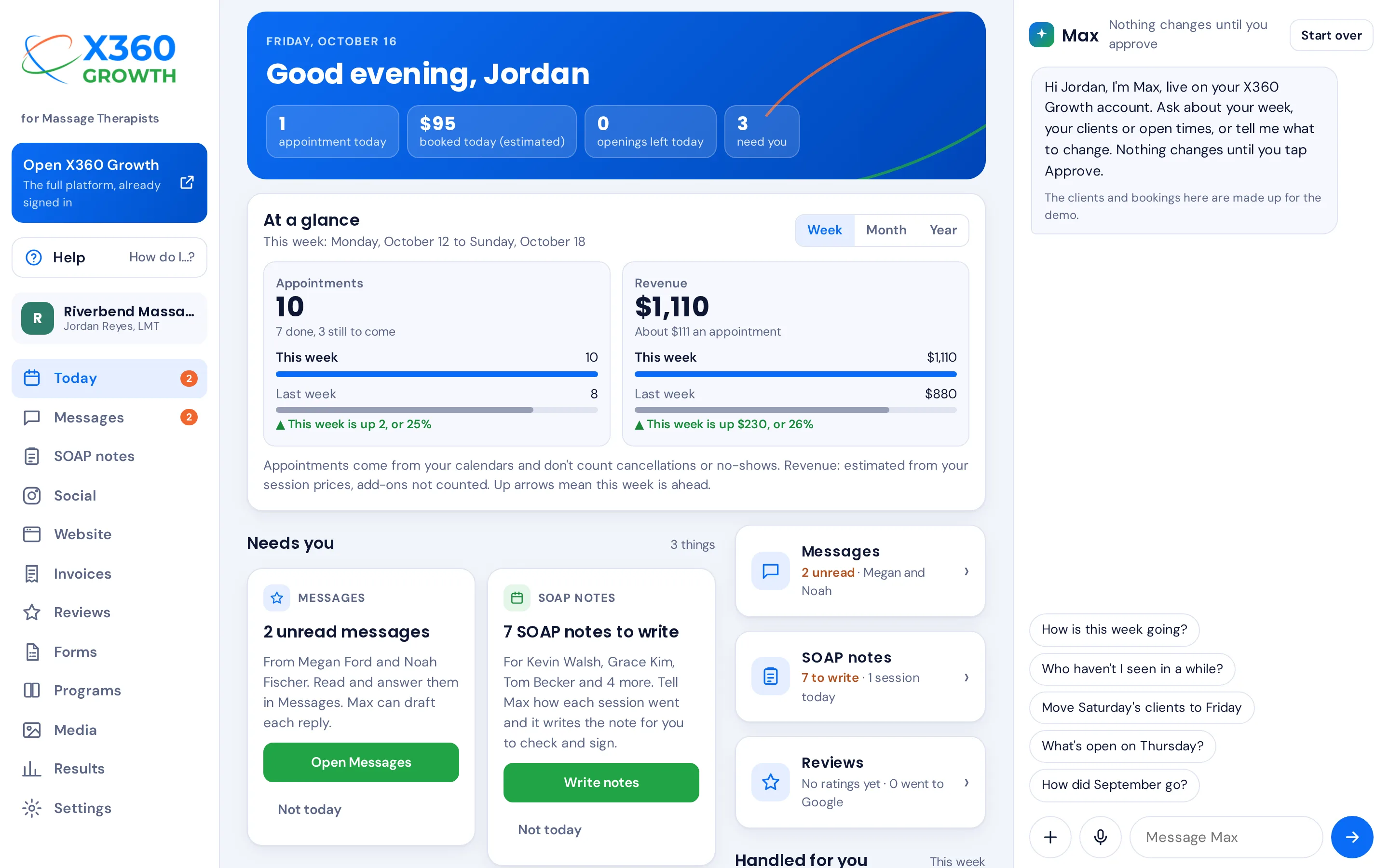
4
A few sign-ins only you can do
Connecting your phone number for texting, your payment account, your Google Business Profile, your domain and your social accounts. We give you a short checklist and walk you through each one.

5
Switch it on
Turn on what you are happy with. Reminders, follow-ups and review requests start running.
6
Ask Max
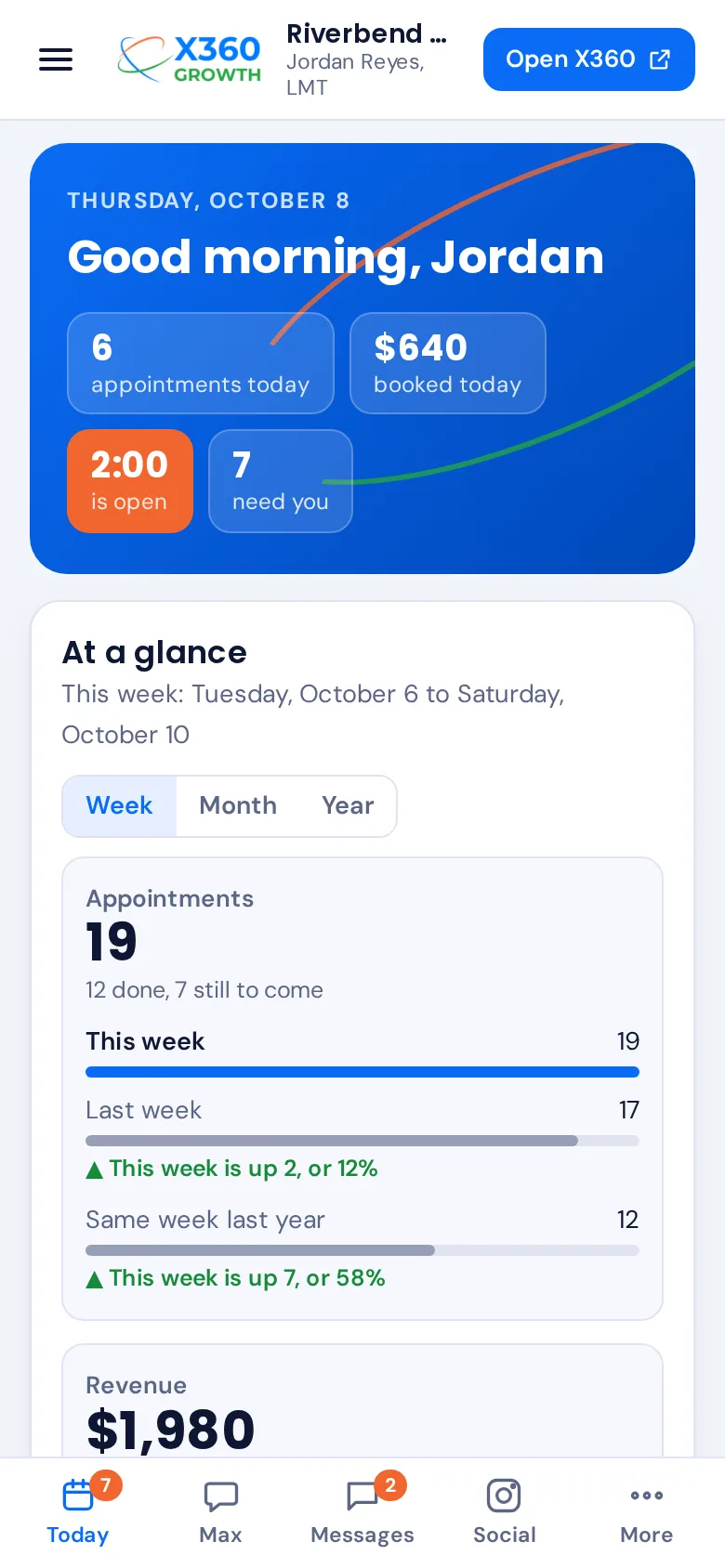
Ask about your calendar and clients, book, move and cancel appointments, and add notes. Check the plan, tap Approve. More jobs by asking are coming soon.
Move Saturday's clients to Friday and let them know.
You have 3 clients on Saturday. Friday has room at 10, 12 and 3. Here is my plan:
- Sam: Saturday 9:00 → Friday 10:00
- Lena: Saturday 11:00 → Friday 12:00
- Chris: Saturday 1:00 → Friday 3:00
- Draft a text to each of them with the new time
Nothing changes until you tap Approve.

Rather not do it yourself?
White-Glove Setup
We set everything up for you, including moving your customer list and your current website content. Priced by what your business needs; ask on your demo call.
Questions
Good to know
Do I need to be good with technology?
No. You talk to Max in plain words, the same way you would text an assistant. The setup is built for you, and help is always one question away.
Does Max do things without asking me?
No. Max shows you a plan and waits for your OK before it books, moves, sends, posts or spends anything. Routine follow-ups you have switched on run by themselves, the same way every time.
I already have a website and a booking app. Can I switch?
Yes. Your customer list comes across, and we build your new website using what is on your current one. You keep your own domain.
Is there a contract?
No. X360 Growth is month to month. Cancel any time, and your customer list and your domain stay yours.
Who owns my customer list?
You do. You can export it any time.
What does "locked in for life" mean?
Sign up while the promotion runs and $147 a month stays your price for as long as your plan stays active, even when the regular price changes.
What happens if I use up my monthly AI allowance?
Max pauses until the allowance resets on the 1st of the month. Everything else in X360 Growth keeps working as normal.
How are texts, calls and emails charged?
From a prepaid messaging balance that starts at $25 and tops itself up. Your business phone number and texting registration are included in your plan.
Stop doing it all yourself
Start today and Max has your account and starter website ready in minutes. Prefer to talk first? Book a free 30-minute call. No pressure, no slides.
Free setup. No contract, cancel any time. Special promotion: $147 a month, locked in for life.
Photos: Andrea Piacquadio, Yan Krukau, Ahmed , Roberto Hund, Antoni Shkraba on Pexels. App screens: Max with the made-up Riverbend Massage demo business.